Test Run Details
Click into any test run to see rich execution metadata, build/app context, suite change analysis, and failed tests with issue creation actions.
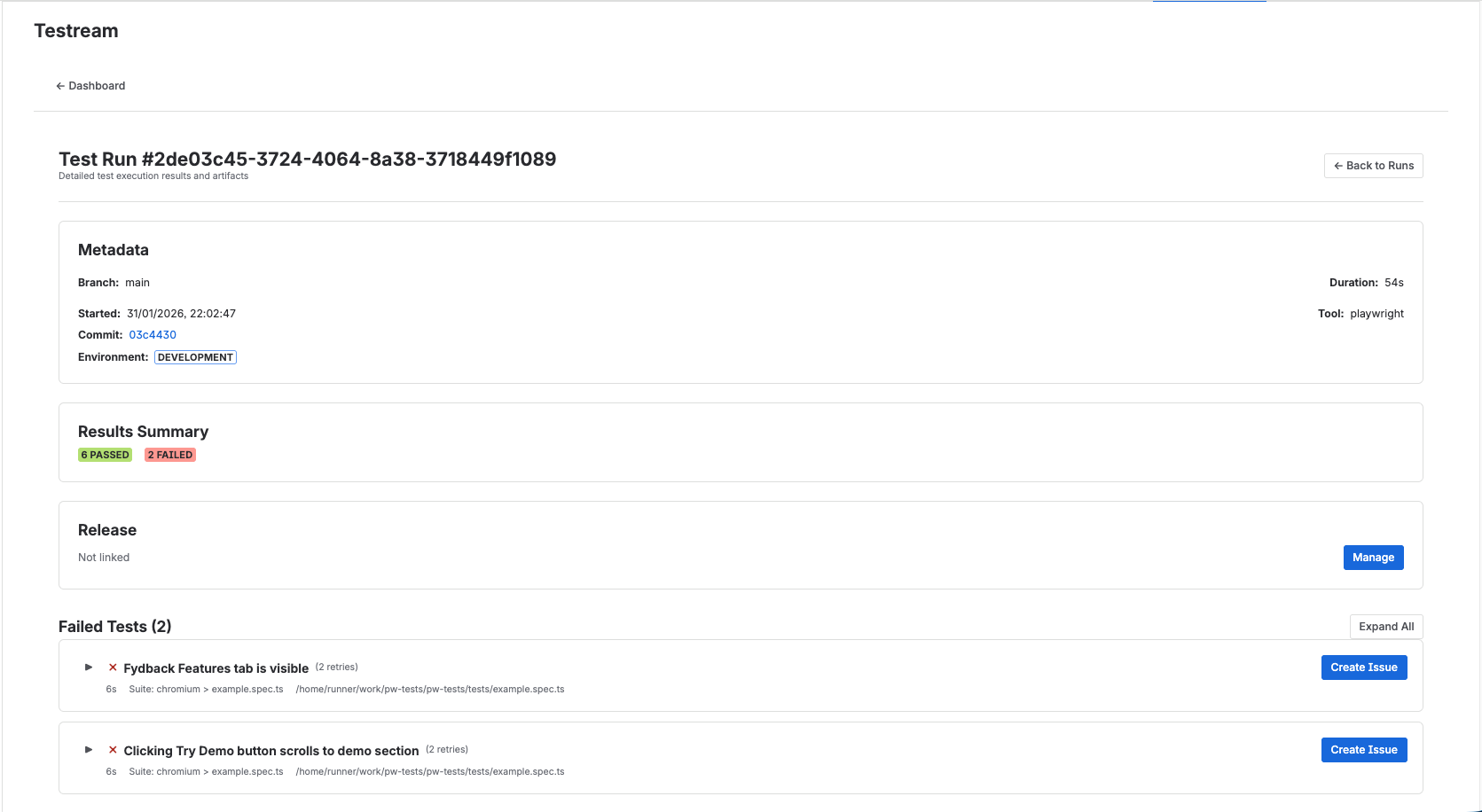
Metadata Section
Each test run displays key context in a two-column layout. Some fields are always visible while others appear only when data is available:
| Field | Details |
|---|---|
| Branch | Git branch name (always shown) |
| Started | Timestamp of test execution (always shown) |
| Commit | Short SHA (first 7 chars), links to the commit in your repository when a repository URL is available (shown when available) |
| Environment | Test environment, e.g. staging, production (shown when available) |
| Duration | Total execution time (always shown) |
| Tool | Test framework name and version, e.g. "Playwright 1.40" (shown when available) |
Build and App Info
When provided by the reporter or CI environment, the Build and App Info panel appears with:
| Field | Details |
|---|---|
| Build Name | CI workflow or build identifier |
| Build Number | Build/run number from CI |
| Build Link | Direct URL to the CI pipeline run |
| Reporter | Reporter/tool that generated the test payload |
| App | Application name under test |
| Version | Application version under test |
| Test Type | Run type tag, e.g. unit, integration, e2e |
Results Summary
View aggregate statistics:
- Number of passed tests
- Number of failed tests
- Number of skipped tests
- Number of flaky tests (when present)
- Number of pending tests (when present)
Test Suite Changes
Test Run Details includes a Test Suite Changes summary card that compares the run against the previous run on the same branch.
- Highlights added and removed tests
- Shows net/percentage change
- Supports first-run and no-change states
- Opens a detailed modal for added/removed test inspection
See the dedicated guide: Test Suite Changes.
Release Linking
Associate test runs with Jira release versions using the "Manage" action in the Release section. This helps track quality per release cycle.
Failed Tests List
All failed tests are listed with:
- Test name
- Error message preview
- "Create Issue" button for each failure