PDF Reports
Generate downloadable PDF reports that summarize your test run results — including pass rates, failed test details, error messages, stack traces, and screenshots.
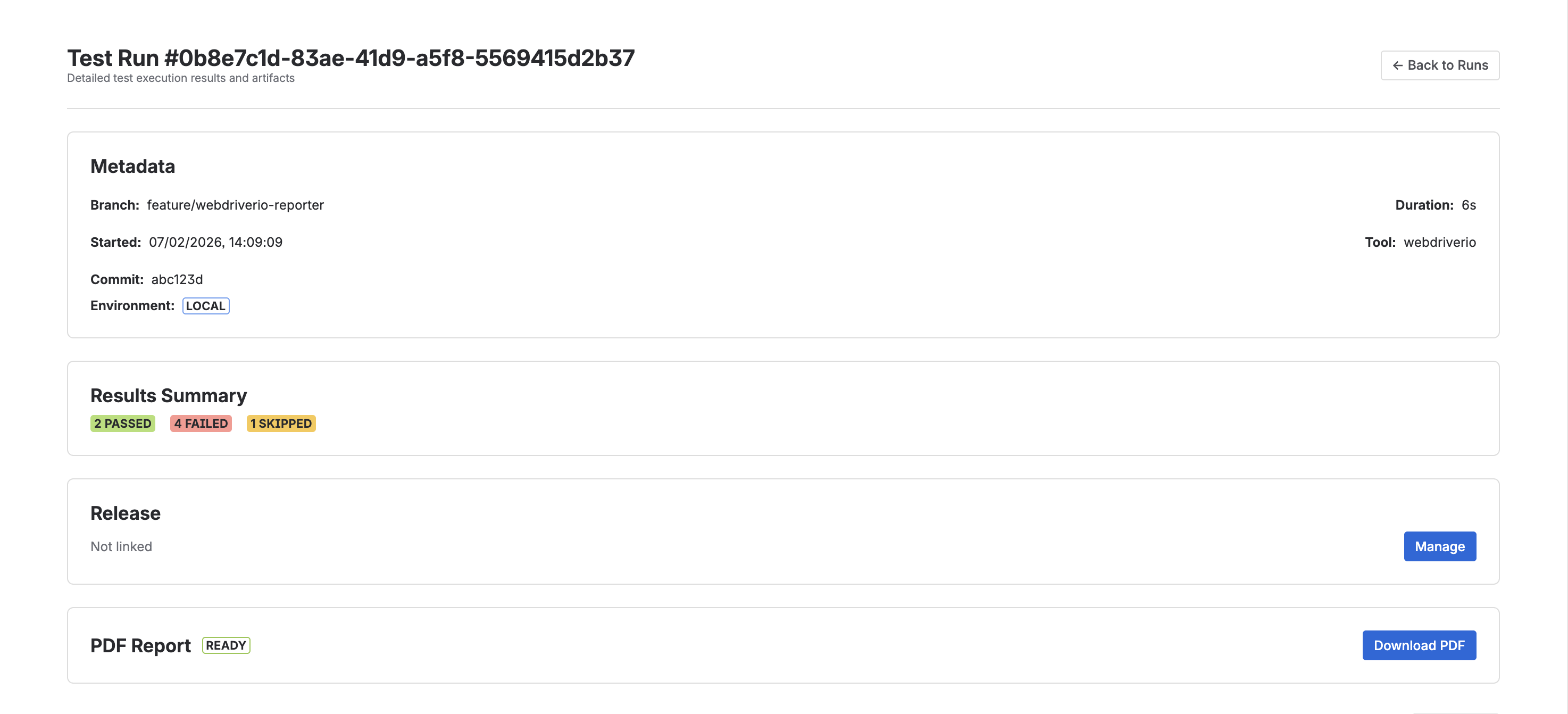
What Are PDF Reports?
PDF Reports provide a shareable, offline-friendly summary of any test run. Each report is generated as a professionally formatted PDF document that you can download, share with stakeholders, or archive for compliance purposes.
How to Generate a Report
- Navigate to a test run detail page
- Click the "Generate PDF Report" button
- The report is generated asynchronously in the background
- Once ready, click "Download" to save the PDF
What's Included
Each PDF report contains:
- Project Information - Project name, test run metadata (branch, commit, environment)
- Test Summary - Total tests, pass rate, and result breakdown
- Failed Tests - Detailed listing with error messages, stack traces, and captured screenshots
- Passed & Skipped Tests - Summary table of all remaining tests
View an example PDF report to see what a generated report looks like.
Report Statuses
Reports go through the following statuses:
| Status | Description |
|---|---|
| Queued | Report generation has been requested and is waiting to be processed |
| Processing | The report is currently being generated |
| Ready | The report is complete and available for download |
| Failed | An error occurred during generation — you can retry |
Retry on Failure
If a report fails to generate, click the "Retry" button to request a new generation attempt.
Availability
PDF Reports are available on Starter, Pro, and Enterprise plans.