Release Management
Track test quality across your release cycle by linking test runs to Jira releases and monitoring quality metrics per version.
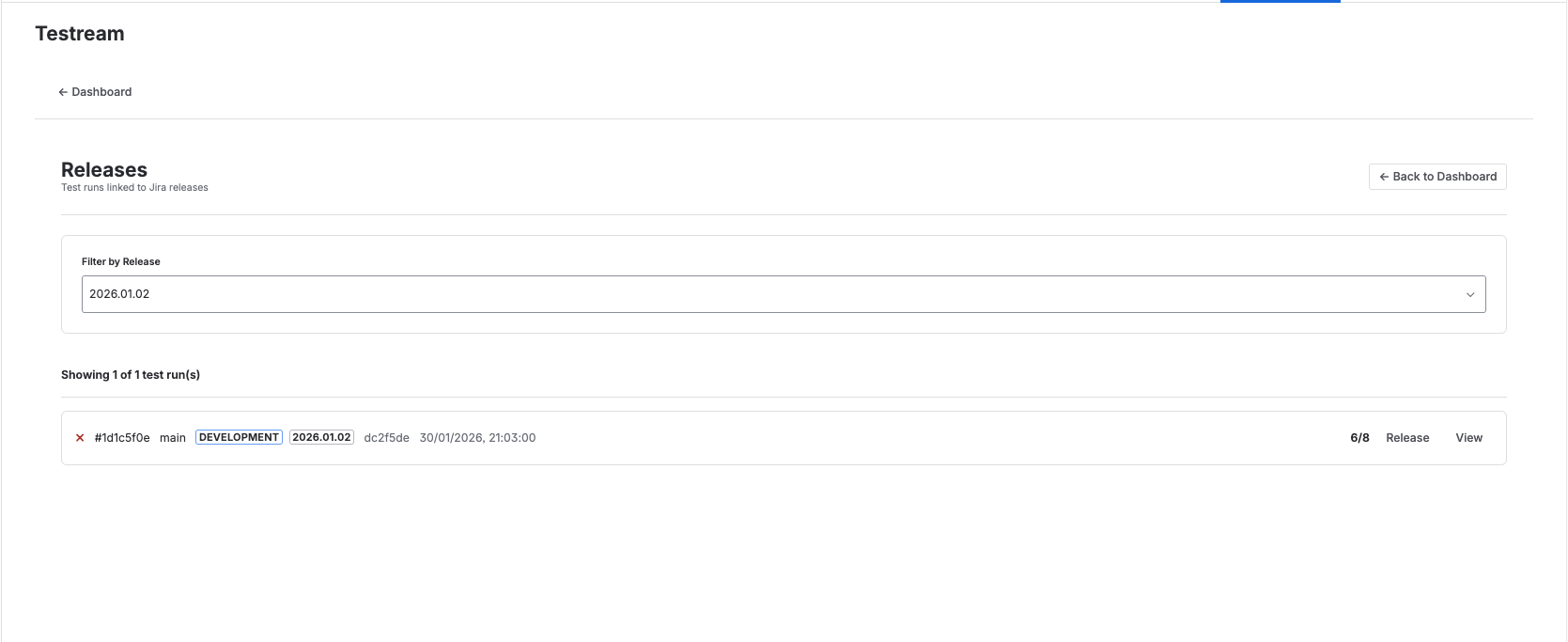
Release List
View all Jira releases with associated test runs, test run counts, and quality metrics including pass rate for each release version.
Linking Test Runs to Releases
From any test run detail page:
- Click the "Link to Release" button
- Select a Jira release version from the dropdown
- The test run will now appear filtered under that release
This helps teams assess release readiness and track quality gates.
Link & Create Issue
You can also create a Jira issue at the same time you link a test run to a release.
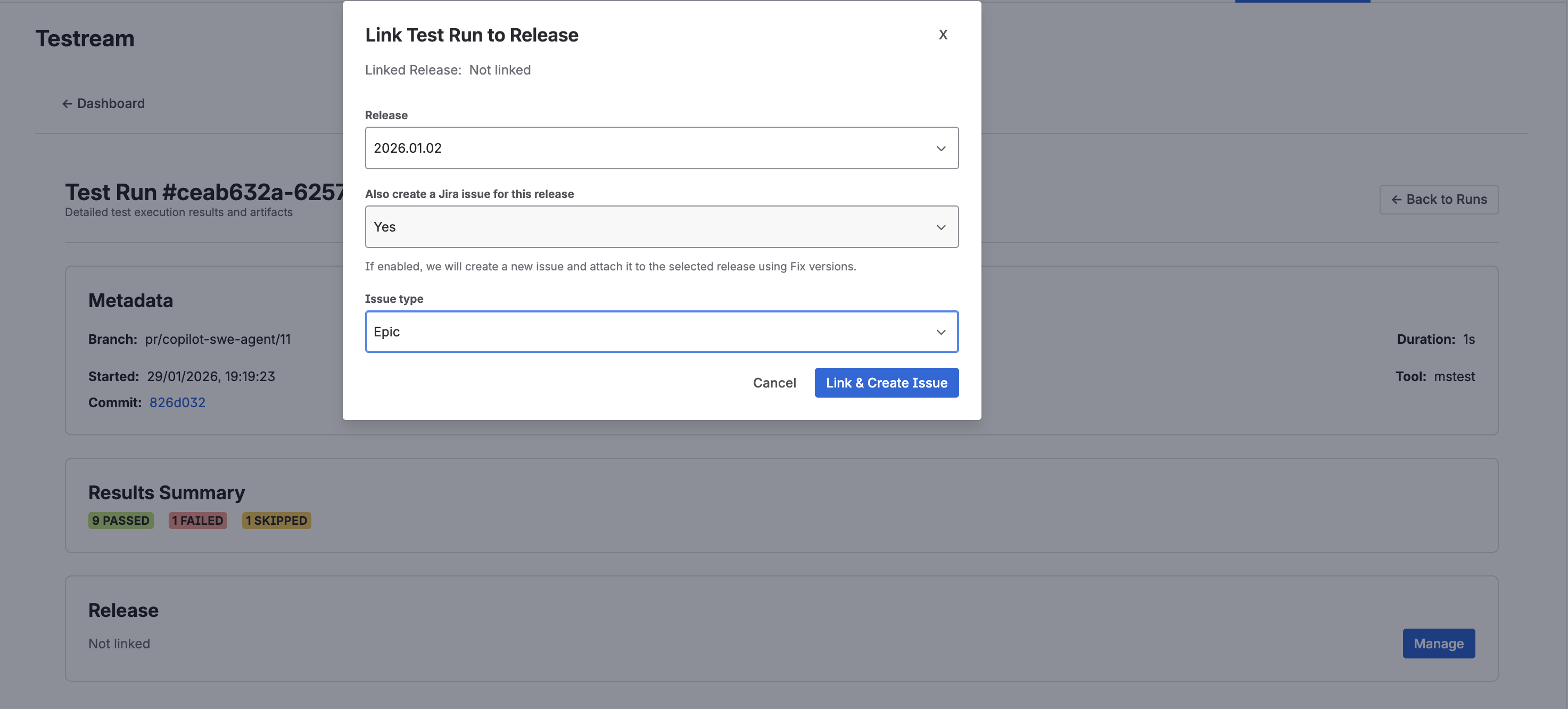
From the "Link Test Run to Release" modal:
- Select a Release version from the dropdown
- Toggle "Also create a Jira issue for this release" to Yes
- Choose an Issue type (Epic, Bug, Task, etc.)
- Click "Link & Create Issue"
This creates the Jira issue and links the test run to the selected release in a single step.
Filtering by Release
Click any release to see only its associated test runs. Use this to compare quality across versions and monitor readiness before deployment.